Multi-screen computer with wireless assembly
Multi-screen computer with wireless assembly
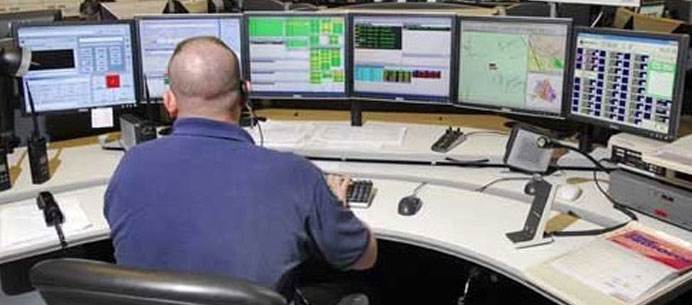
Four-screen stock computer performance is very good, especially in some securities companies use four-screen computer or six-screen computer office, but the traditional is to use HDMI cable to connect multi-screen graphics card connection, the focus is on complex settings, let Many computer Xiaobai have to ask professional staff to help. Today, Qiji Xiaobian taught everyone to make a wireless way to assemble a four-screen computer, which can be used by anyone, without the need for artificial hands.
Hardware preparation: a computer host [to be configured better, or you ca n’t afford a multi-screen graphics card]; a multi-screen graphics card [of the 4-port type], four display screens, 3 wireless screen projectors [here with AWIND strange machine wireless Screen-casting device as an example].
1. Insert the multi-screen graphics card in the computer mainframe. Do not rush to seal the mainframe cover first;
2. Or use a traditional HDMI cable to connect a monitor of the computer to form a normal computer [one host with one monitor];
3. Drive multi-screen graphics card. Make sure our multi-screen graphics cards work properly on your computer.
4. The HDMI button on the transmitting end of the wireless screen projector is inserted into the interface of the multi-screen graphics card, and the display lamp lights up. We drive it in [My Computer], the first time we need to drive recognition;
5. Connect the wireless projection box with the other 3 monitors and power on;
6, we press the HDMI button, make sure that the other 3 monitors can be screened normally [press the button, the remaining three are blank screens with desktop background only].
7. Attach the host cover.
In this way, we have completed the assembly. Even if we shut down and power off all monitors and computers. Then turn on all the devices, which is directly a normal computer and 3 additional display screens.
Four-screen computer use:
We have driven a multi-screen graphics card in the front, and there will be a management software with 1234 and four small windows on it.
We want to use the first screen: it is mainly used as a large-scale surveillance or husband's version, mainly to judge the overall market trend, so don't worry about it, so we will leave the first small window empty. Because it is the main interface of our computer.
The second screen: mainly monitors some data such as self-selected stocks or custom sections. We first open this data panel on the computer and drag him to the second window.
The third screen: display the K line and use it in conjunction with the broader market. Quickly lock the gain list and drag it to the third window.
The fourth screen: Open the trading software to prevent any clutter when buying or selling, and drag it to the small window No. 4.
Close the management window and return to the normal interface of our computer. In this way, we are no longer afraid of the computer power failure [our previous stock trading friends' computers are not shut down, afraid of trouble].
With AWIND's wireless screen projector, the method of wirelessly assembling a four-screen computer is taught here. Everyone, do you learn?